Heads up: this article is from 2016, but a lot of people land on this site looking to turn their Bose speaker into something their TV can use for audio. I have not personally used this setup since about 2019, so take what you find here with a grain of salt as technology inevitably marches forward.
If you’ve bought a new TV recently you might have been horrified to find that modern TVs come with terrible built-in audio. I’m guessing there’s some kind of industry-wide assumption that you’ve got killer audio equipment to hook that fancy new TV up to, but if you don’t, you might be looking for a way to re-purpose a Bluetooth (or similar) speaker you already own as a speaker for your television. Hey, at least you’ll use something you already own instead of buying a fully-fledged sound bar.
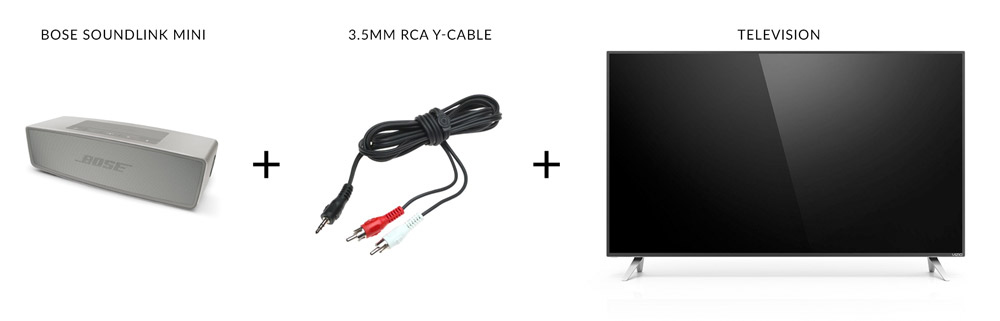
Anyway, I had a Bose SoundLink Mini not quite laying around but not doing much of anything while I was watching TV, so I gave it a second job with the addition of an RCA Y-cable. The cable has a 3.5mm audio plug on one end and two (white and red) bigger plugs on the other end.
I use a ridiculously cheap Y-cable, but if you’re feeling fancy they actually do make a gold-plated version that still costs less than a sandwich in most cities. (Just make sure your cable is long enough.)
Full list of things you’d need to get a setup like mine:
- Bose SoundLink Mini speaker (but any speaker with AUX in should work)
- 6" stereo 3.5mm to RCA cable like this
- a TV with available RCA audio out ports (options abound)
Simple guide to using your Bluetooth speaker as a sound bar for your TV
Step 1: Find a good place for your speaker and its charge cradle
I put my Bose Mini right in front of my television. My TV is elevated on little feet, so there’s a bit of space below the screen for my SoundLink to sit. If your TV isn’t elevated, you might have to get creative. Try to keep it centered in relation to the TV, though, for best results.
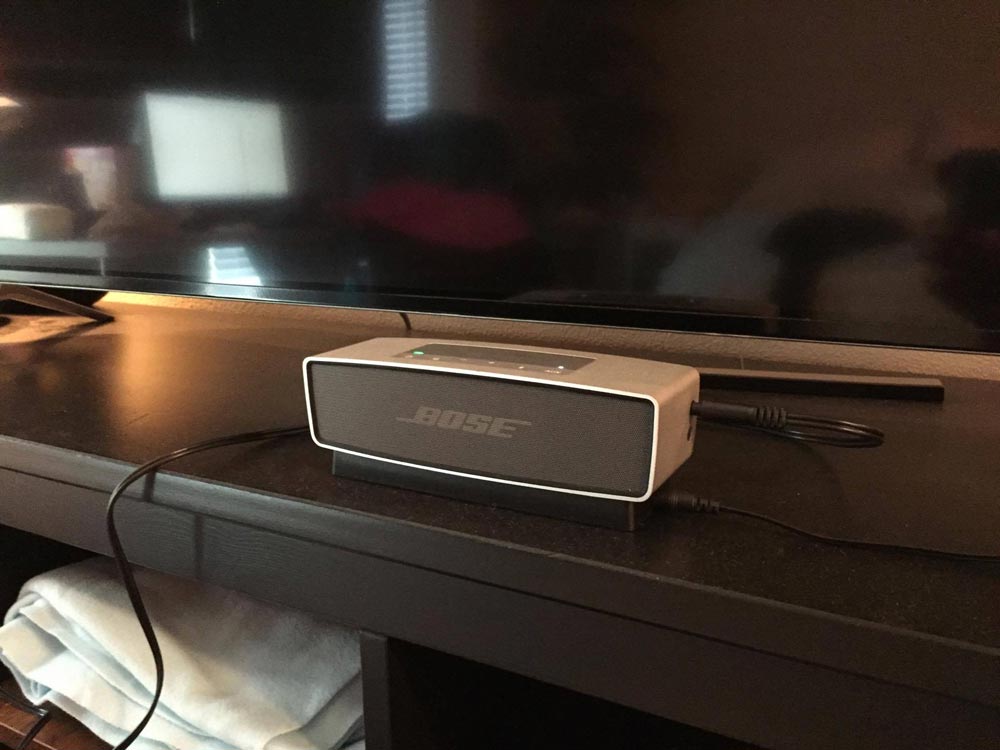
Get it set up with electricity, either on a cradle or directly plugged into the speaker. (I don’t run mine off battery when I’m using it as a TV sound bar.)
Step 2: Connect it to your TV using the RCA Y-cable
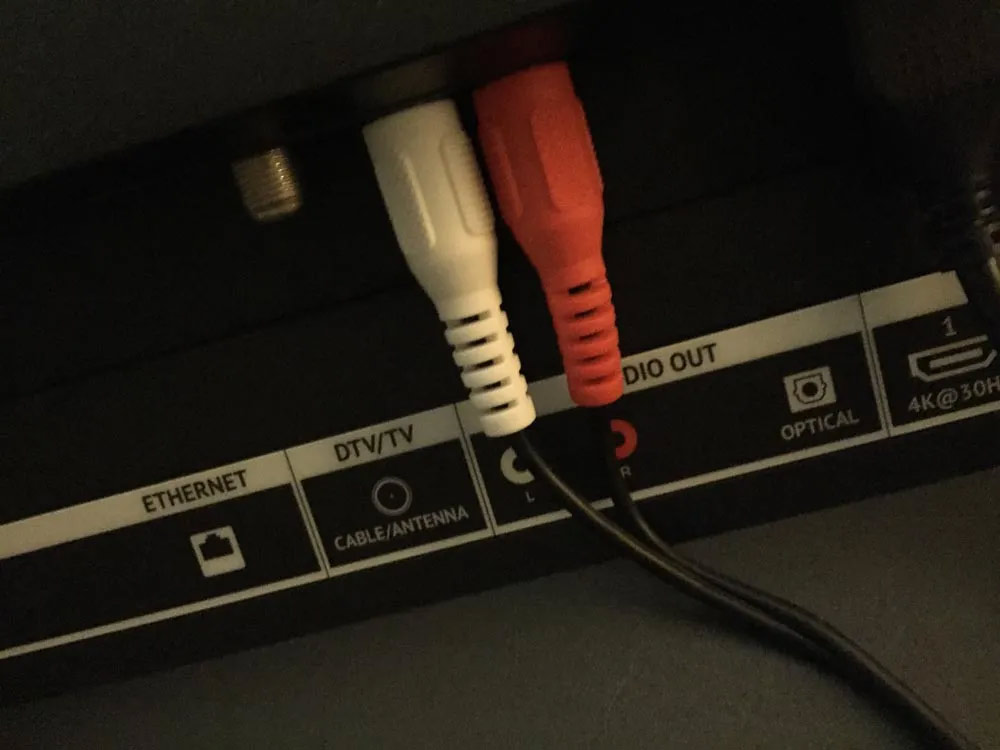
My 2015-vintage Vizio TV had a couple of RCA ports on the back. Plug the red/white RCA ends into those ports.
Plug the 3.5mm into the side of the SoundLink Mini.
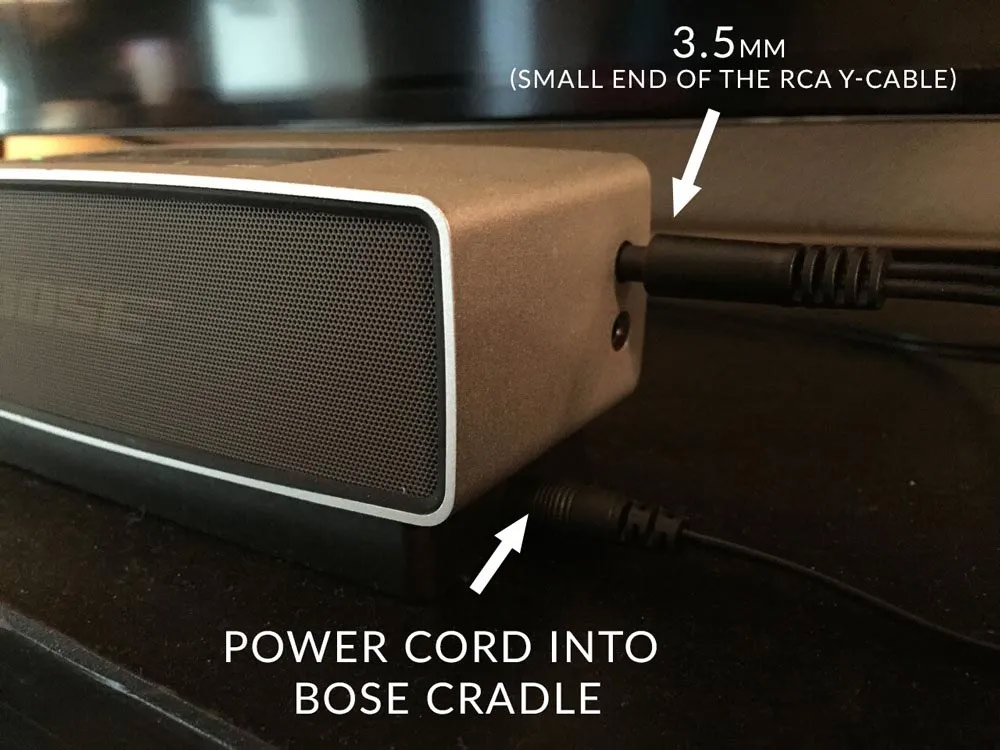
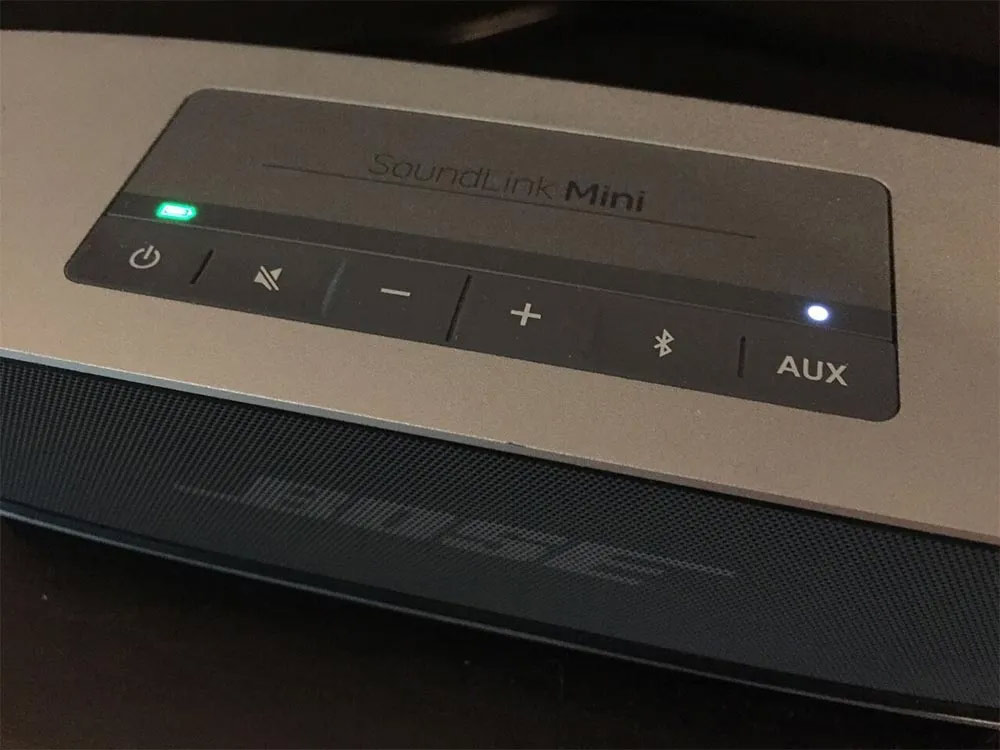
Step 3: Turn the SoundLink Mini on and set it to AUX mode.
Pretty easy.
Step 4: Turn your TV’s own audio to zero so you don’t get sound out of the TV speakers
Your TV will probably output sound out of both its own speakers and the external speaker you just hooked up. Just turn your TV’s own volume down to 0. Your TV might be fancy enough to know that it’s outputting to an external speaker and not produce the overlap, but in any case, this fix has worked for the two televisions I’ve used this Mini with now.
Step 5: Enjoy!
There’s only one major drawback to this setup, and that’s that you probably don’t have a remote for your speaker. This hasn’t bothered me too much, since my apartment is small and the speaker isn’t that far away and I tend to adjust volume pretty rarely, but it’s a thing to keep in mind.
I’ve done this exact setup with two TVs now (a 2013-era Sharp and a 2015-era Vizio) and it’s pretty awesome not having had to waste money on a dedicated sound bar when my other speakers are just sitting around doing nothing while I’m watching TV.